Template Deployments»
The Templates list offers a simplified, form-based experience designed for application developers and end users who may not have deep infrastructure-as-code or Spacelift knowledge.
Overview»
Templates are designed for:
- Application developers who need infrastructure without IaC expertise
- End users who want to deploy pre-approved infrastructure patterns
- Teams who benefit from standardized, self-service infrastructure
The deployment experience prioritizes simplicity, validation, and guardrails to ensure successful infrastructure provisioning.
Templates List»
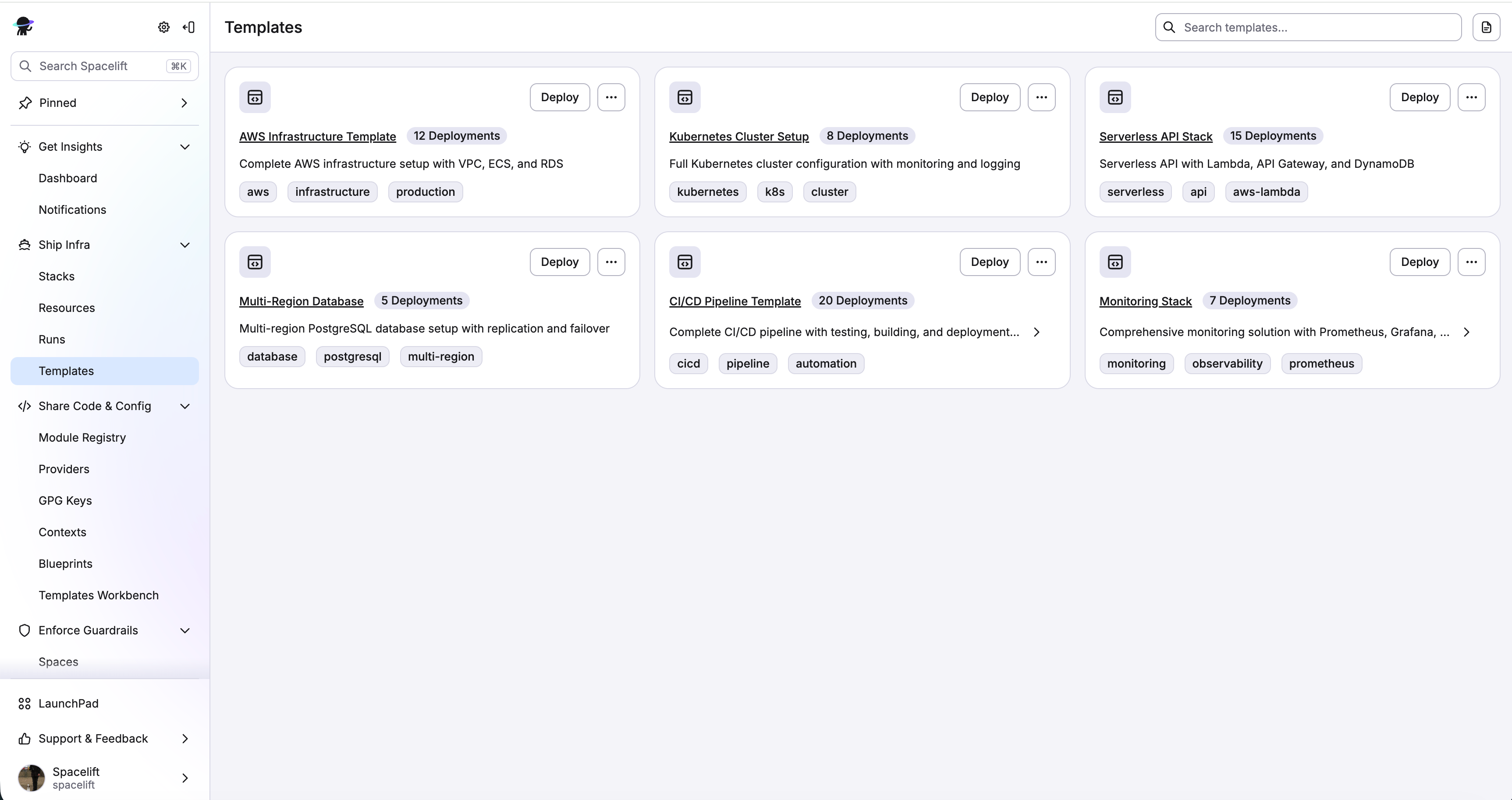
The Templates List is a user-friendly interface where users can browse and deploy from available templates.
Deploying from the Marketplace»
Step 1: Select a Template»
- Browse or search for the template you need
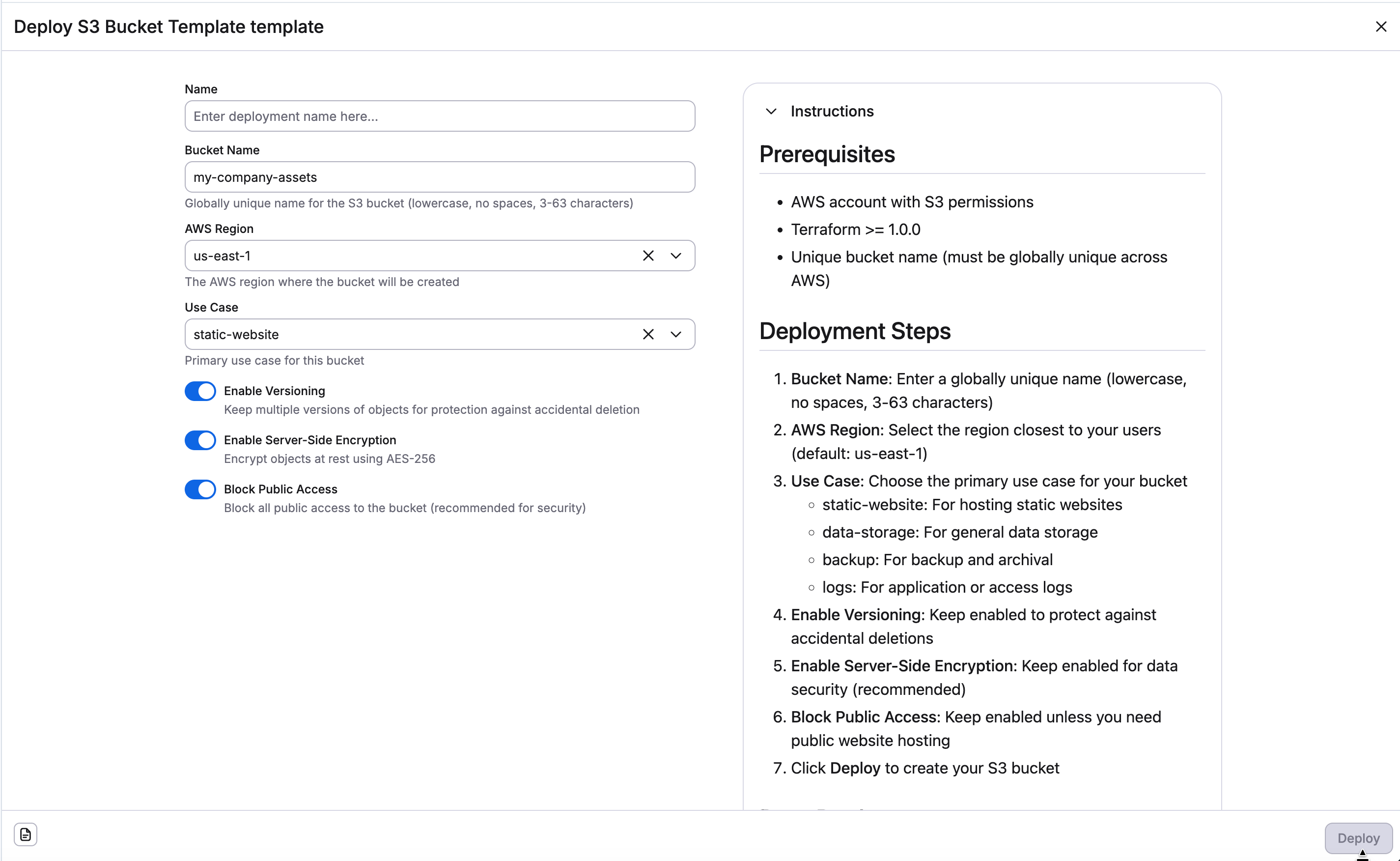
- Click Deploy to open the deployment form:
Step 2: Create the Deployment»
- Review all input values
- Click Deploy
- Deployment is created and infrastructure provisioning begins
- You're redirected to the deployment details page
Viewing Your Deployments»
After deploying, you can view and manage your deployments in the template deployments list.
Deployment Details»
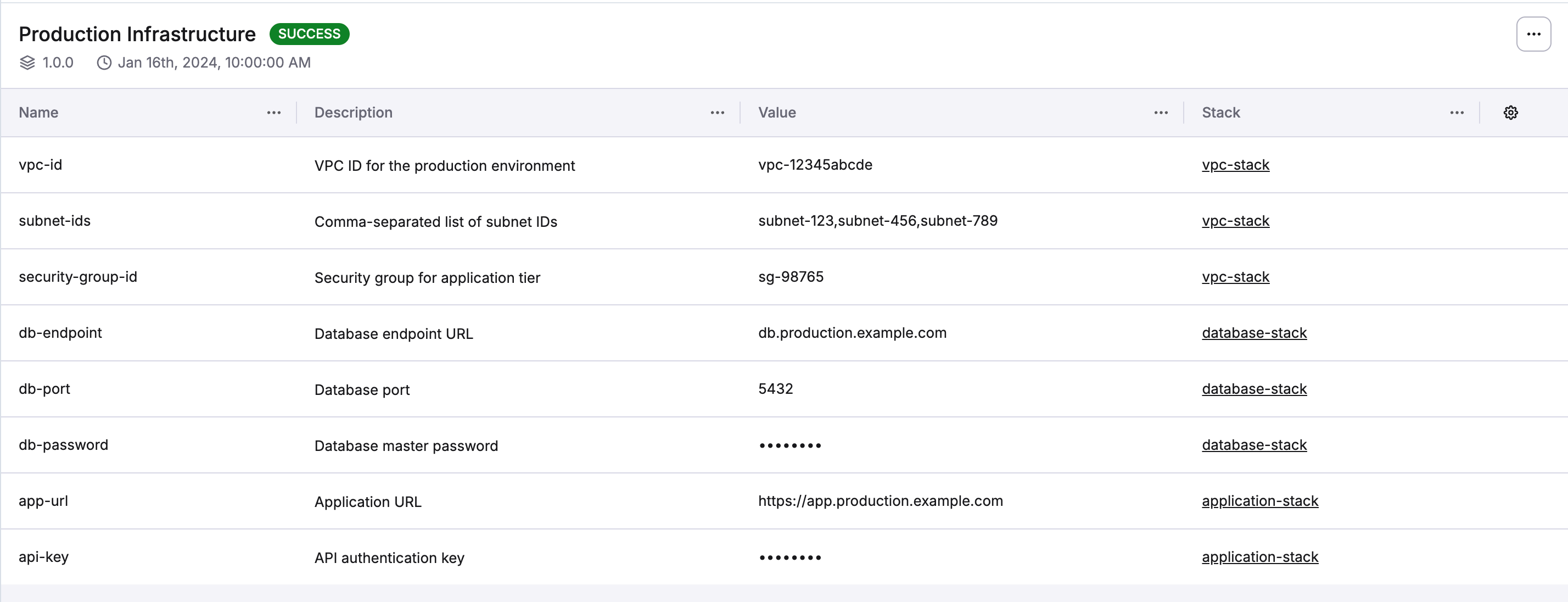
Overview Information:
- Deployment name and description
- Current state (InProgress, Finished, Failure, etc.)
- Template and version used
- Creation date
- List of deployment outputs
Deployment States»
Your deployment will go through various states:
| State | Description | What You Can Do |
|---|---|---|
| None | Initial state | Wait for processing |
| In Progress | Being created | Monitor progress |
| Finished | Completed successfully | View outputs, use infrastructure |
| Failure | Creation failed | Review errors, contact template creator |
| Unconfirmed | Awaiting confirmation | Needs to be confirm by template creator |
| Destroying | Resources being destroyed | Wait for completion |
| Destroying Failed | Destruction failed | Contact template creator |
Understanding Deployment States»
In Progress:
- Infrastructure is being provisioned
- Check back periodically for updates
- Cannot make changes while in progress
Finished:
- Infrastructure is ready to use
- Outputs are available
- You can update or delete the deployment
Failure:
- Something went wrong during provisioning
- Review error messages
- Contact template creator for assistance
- You may be able to retry or delete
Unconfirmed:
- Deployment requires manual confirmation
- Contact template creator
- Wait for template creator confirmation
Updating a Deployment»
If you need to change anything in your deployment you can update it on deployment list.
Update Process:
- Navigate to the deployment details
- Choose Update deployment from actions dropdown
- Update whatever inputs you need
- Confirm the update
After that deployment process starts again and you will see the progress on the deploy detail page or deployments list.
Warning
You cannot update a deployment that is in InProgress, Unconfirmed, or Destroying state. Wait for the current operation to complete.
Deleting a Deployment»
When you no longer need the infrastructure:
- Navigate to your deployment details
- Click Delete
- Confirm the deletion
Warning
- Deleting and destroying resources is permanent and cannot be undone
- Make sure you have backups of any important data
- You cannot delete a deployment that is in
InProgress,Unconfirmed, orDestroyingstate
Getting Help»
If you encounter issues or need assistance:
- Check deployment errors: Review error messages for clues
- Contact template creator: They created the templates and can help
- Review documentation: Check deployment instructions in the template
- Provide details: Share deployment name, template version, and error messages
Permissions»
Your ability to work with template deployments depends on your permissions:
| Action | Required Permission |
|---|---|
| View templates list | Space Read access |
| Browse templates | Space Read access for template's space |
| Create deployment | CreateBlueprintDeployment or Space Admin access |
| View your deployments | Space Read access |
| Delete deployment | DeleteBlueprintDeployment or deployment owner |
Note
Permissions are managed by template creator through spaces. Contact them if you need additional access.
Related Resources»
- Template Overview - General information about templates
- Templates Workbench - Template creator interface for managing templates
- Template Configuration - Understanding template structure (for advanced users)
- Stacks - Understanding the stacks created by deployments