Terragrunt»
Warning
This approach is deprecated and will be removed on October 31, 2026. Spacelift provides a native Terragrunt platform with full support for state management, run-all, and more. See the native Terragrunt stack documentation.
Migrating to native Terragrunt platform»
Spacelift provides a migration path to convert existing Terraform-based Terragrunt stacks to the native Terragrunt platform.
Info
Stacks using a custom workflow must first switch back to the default Terraform/OpenTofu workflow before migrating. Custom workflows cannot be automatically migrated because Spacelift has no way to translate arbitrary commands defined in .spacelift/workflow.yml to the native Terragrunt platform.
Migrating a single stack»
You can migrate individual stacks from the stack settings page:
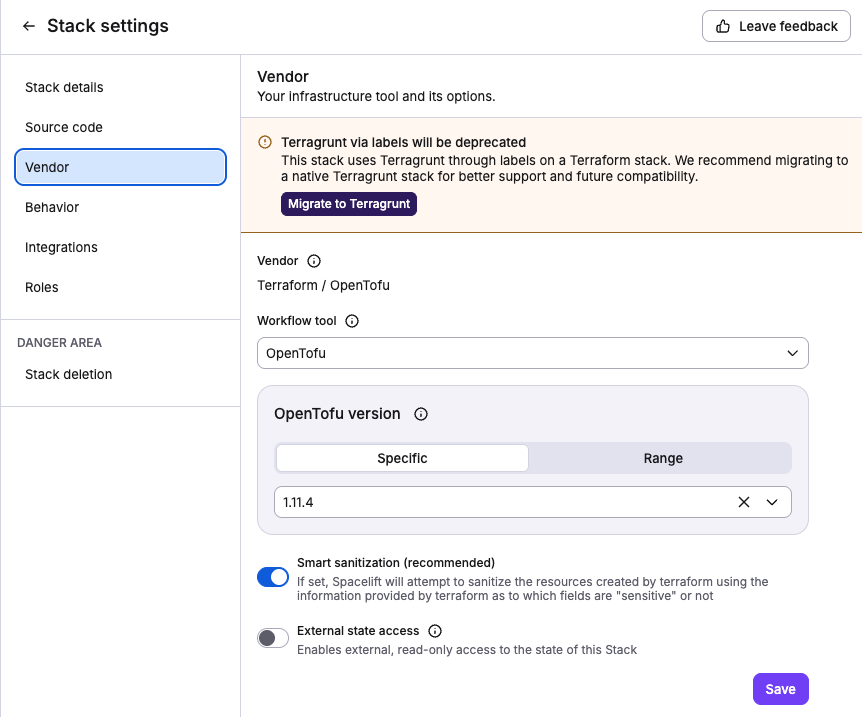
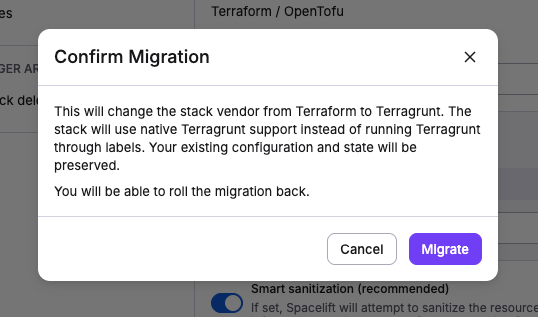
If needed, you can also roll back to the previous Terraform-based approach:
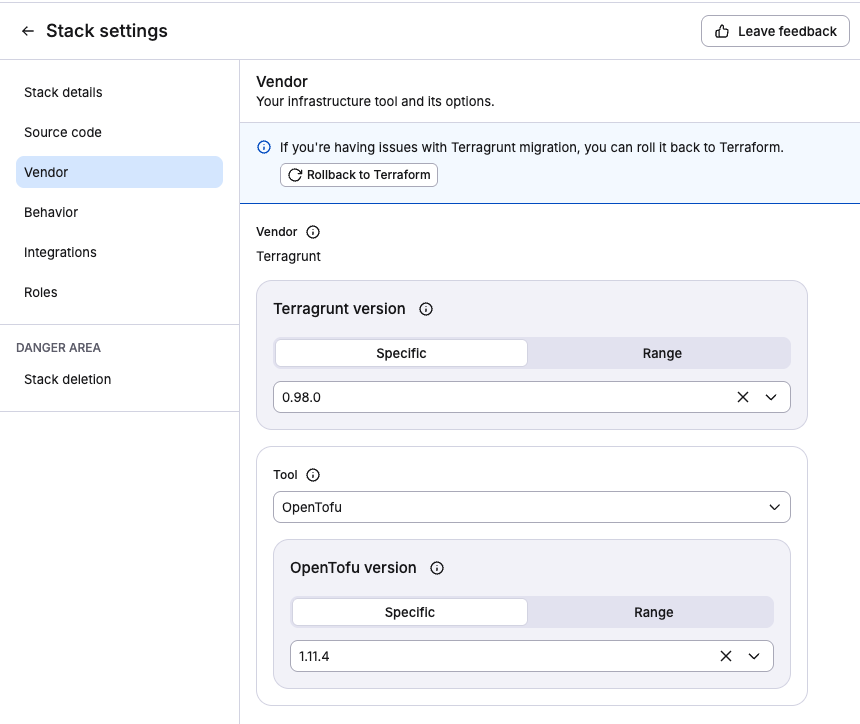
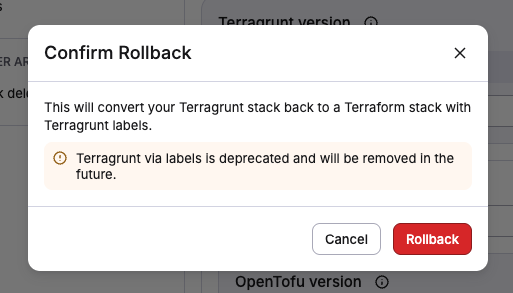
Migrating all stacks at once»
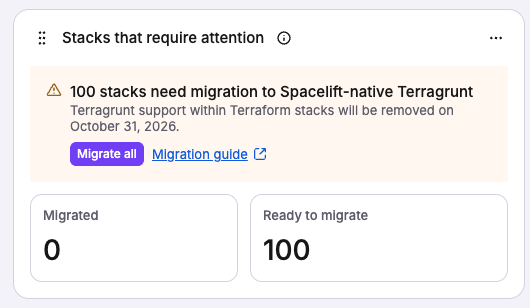
You need the Stack: Update stack action on every stack you want to migrate. You can migrate all eligible stacks at once from the Dashboard. The Terragrunt tab of the Migrate stacks to native vendors widget shows how many stacks still need migration and lets you migrate them all with a single click.
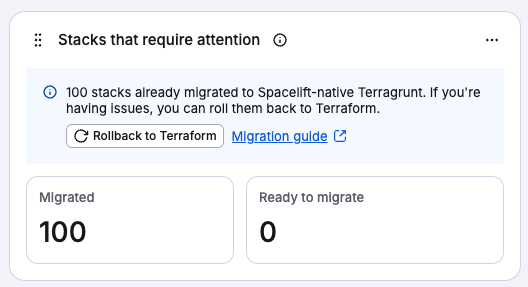
To roll back all migrated stacks:
Migrating via Terraform Provider»
You need to update spacelift_stack properties, for example:
1 2 3 4 5 6 7 8 9 10 11 12 13 14 15 16 | |
use_state_managementset totrueif your stack hasmanage_state = true,falseotherwise.prefix_resource_names_with_module_nameshould be set tofalse. It preserves resource and output names unchanged and will not break any stack dependency. It defaults tofalse.
Using Terragrunt (legacy)»
Whether a Terraform stack is using Terragrunt or not is controlled by the presence of terragrunt label on the stack:
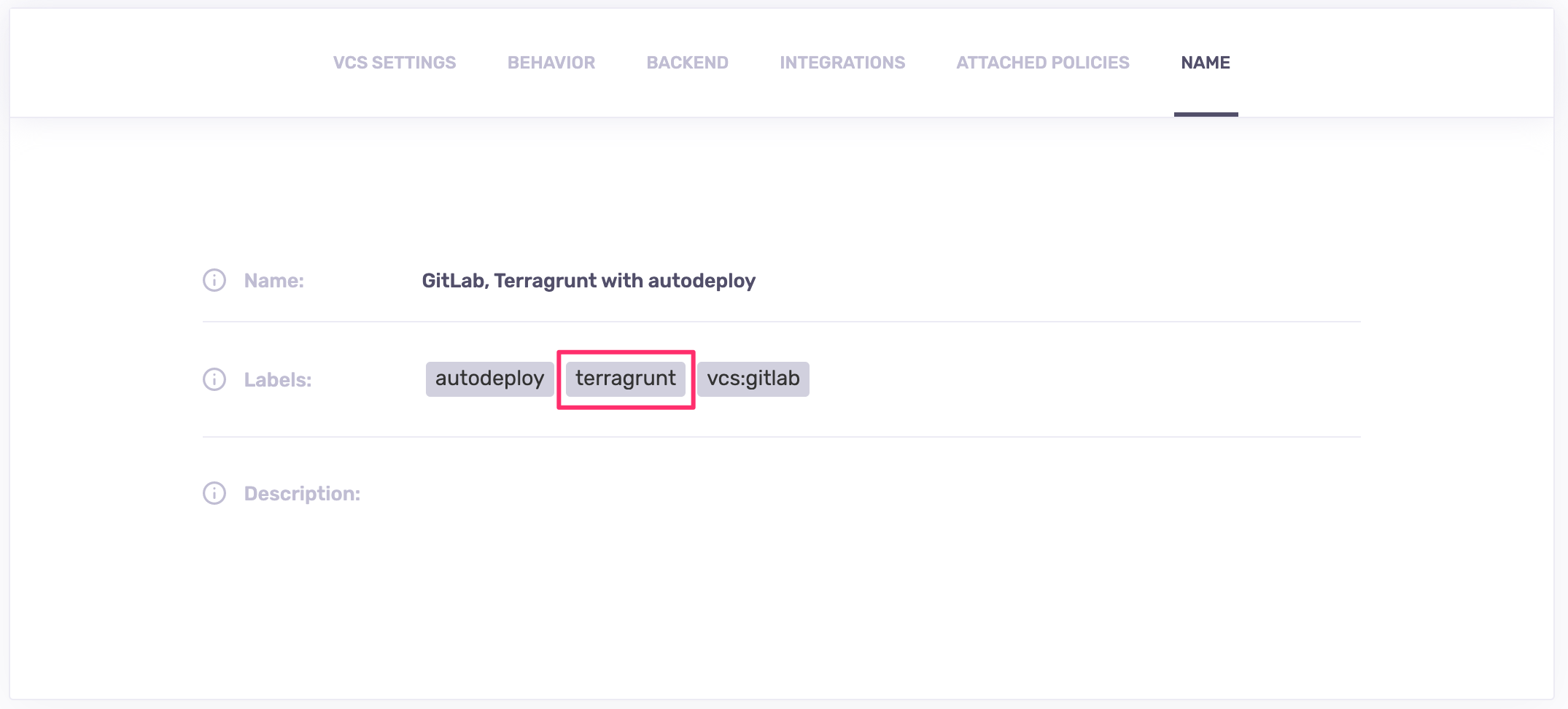
If present, all workloads will use terragrunt instead of terraform as the main command. Since the Terragrunt API is a superset of Terraform's, this is completely transparent to the end user.
Warning
The terragrunt label is deprecated and will be removed on October 31, 2026. Migrate your stacks to native Terragrunt.
Terragrunt is installed on our standard runner image. If you're not using our runner image, you can install Terragrunt separately.
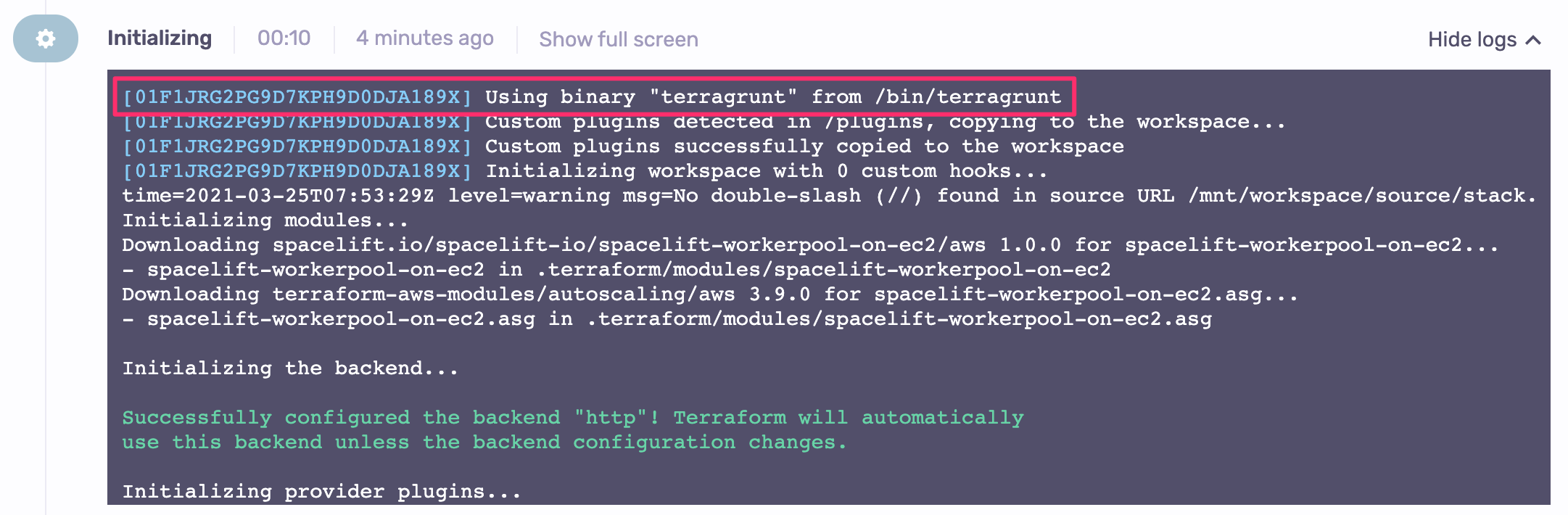
During the Initialization phase we're showing you the exact binary that will process your job, along with its location:
Versioning with Terragrunt»
When working with Terragrunt, you will still specify the Terraform version to be used to process your job. We don't do it for Terragrunt, which is way more relaxed in terms of how it interacts with Terraform versions, especially since we're only using a very stable subset of its API.
On our runner image, we install a version of Terragrunt that will work with the latest version of Terraform that we support. If you need a specific version of Terragrunt, feel free to create a custom runner image and install the Terragrunt version of your choosing.
Scope of support»
We're currently using Terragrunt the same way we're using Terraform, running init, plan, and apply commands. Run-all is supported in our new Terragrunt native platform in Spacelift.
We also support authentication with Spacelift modules by automatically filling the TG_TF_REGISTRY_TOKEN environment variable for each run. Terragrunt uses this variable to authenticate with private module registries.
Debugging Terragrunt»
Similar to Terraform, Terragrunt provides an advanced logging mode, and as of the writing of this documentation, there are currently two ways it can be enabled:
-
Using the
--terragrunt-log-level debugCLI flag (You'll need to set this flag using theTF_CLI_ARGSenvironment variable. For example,TF_CLI_ARGS="--terragrunt-log-level debug") -
Using the
TERRAGRUNT_LOG_LEVELenvironment variable. Logging levels supported:info(default),panicfatalerrorwarndebugtrace
Please refer to the Setting Environment Variables section within our Terraform Debugging Guide for more information on how to set these variables on your Spacelift Stack(s).
For more information on logging with Terragrunt, please refer to the Terragrunt documentation.