Run summaries»
Spacelift can summarize your runs with AI to explain what happened and why a run failed. Summaries and suggested fixes are delivered through Infra Assistant, Spacelift's AI-powered chat interface, and are part of Spacelift Intelligence alongside Intent.
Enabling run summaries»
Run summaries are delivered through Infra Assistant, so an organization admin needs to enable it in Settings > Spacelift Intelligence. The first time you enable any Spacelift Intelligence feature, you will be asked to accept the AI Terms of Use.
- Turn on Enable Spacelift Intelligence AI features.
- Turn on Infra Assistant.
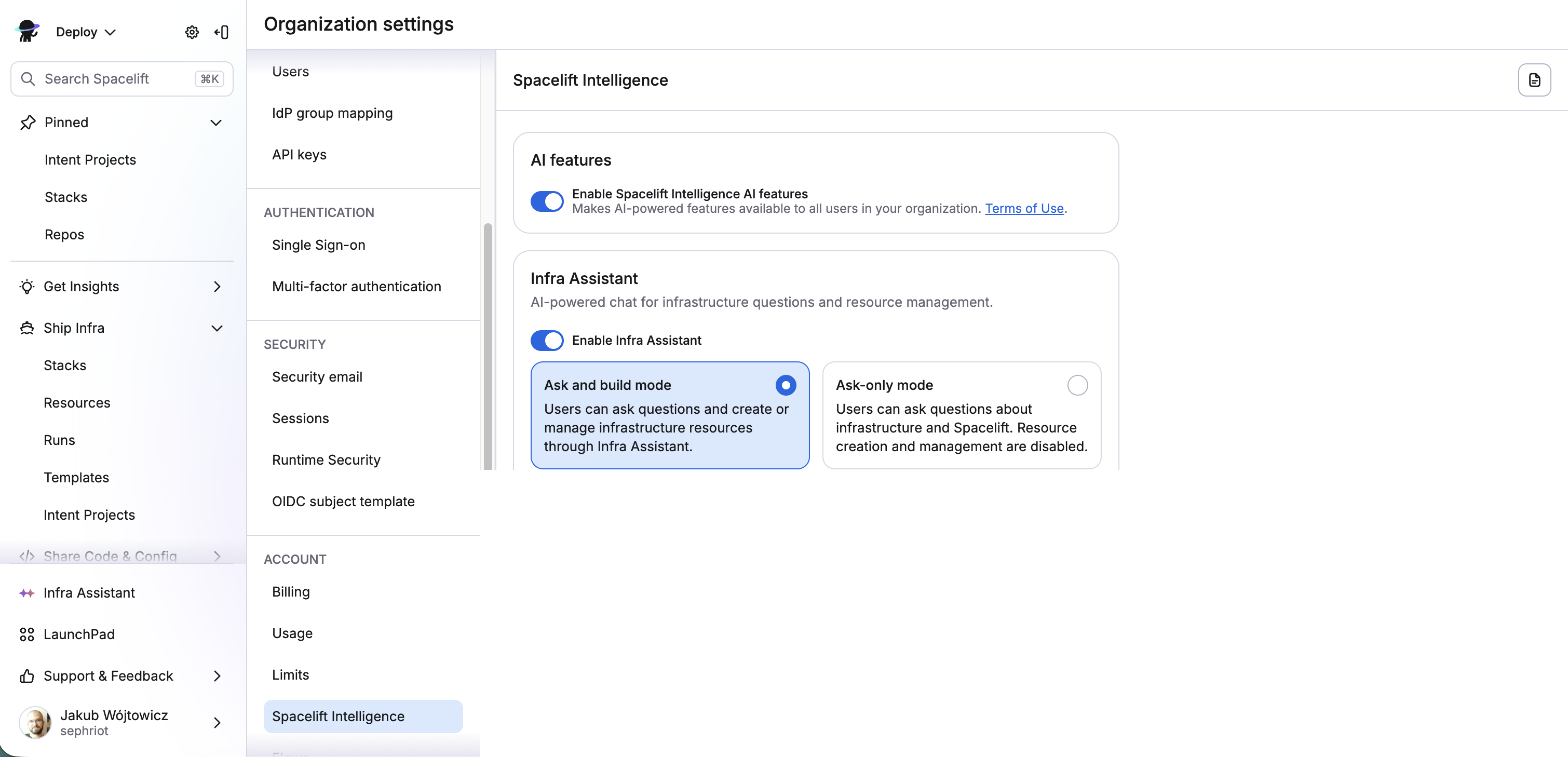
Once Infra Assistant is enabled, all users with read access to runs can summarize them. For more on configuring Infra Assistant, see Enabling Infra Assistant.
Summarizing a run»
On a failed or stopped run, you can ask for an AI summary at two levels:
- Summarize a single completed phase (for example, the planning phase) to get guidance on what went wrong in that step.
- Explain the whole run to combine its phases into a single summary. This is ideal for catching issues that span multiple phases.
Either action opens Infra Assistant with a summarization prompt prepared for that run. Send the prompt, and the assistant inspects the run's state, history, and policy outcomes before replying.
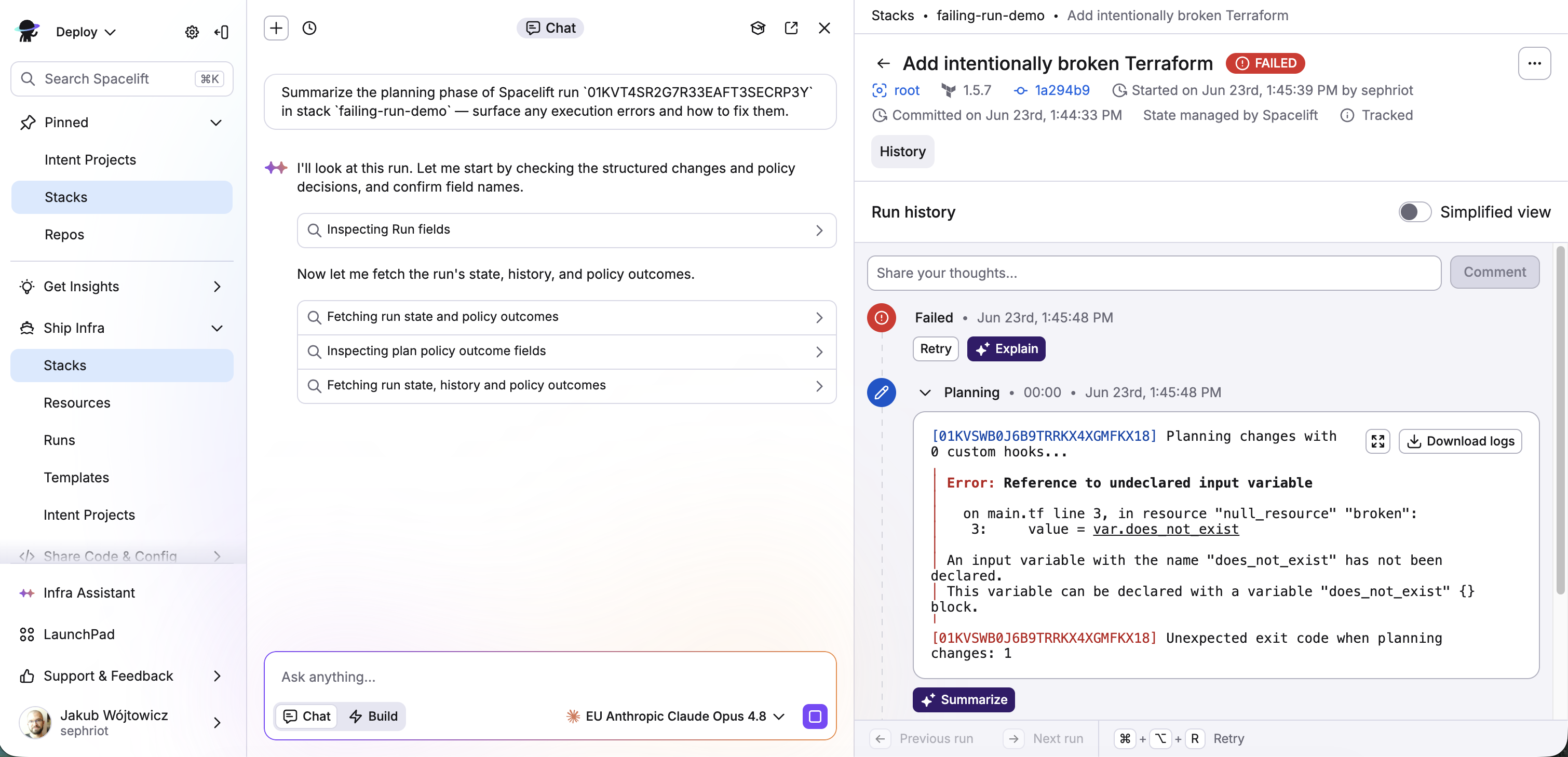
The assistant responds with a plain-language summary of what happened, the cause of the failure, and concrete steps to fix it.
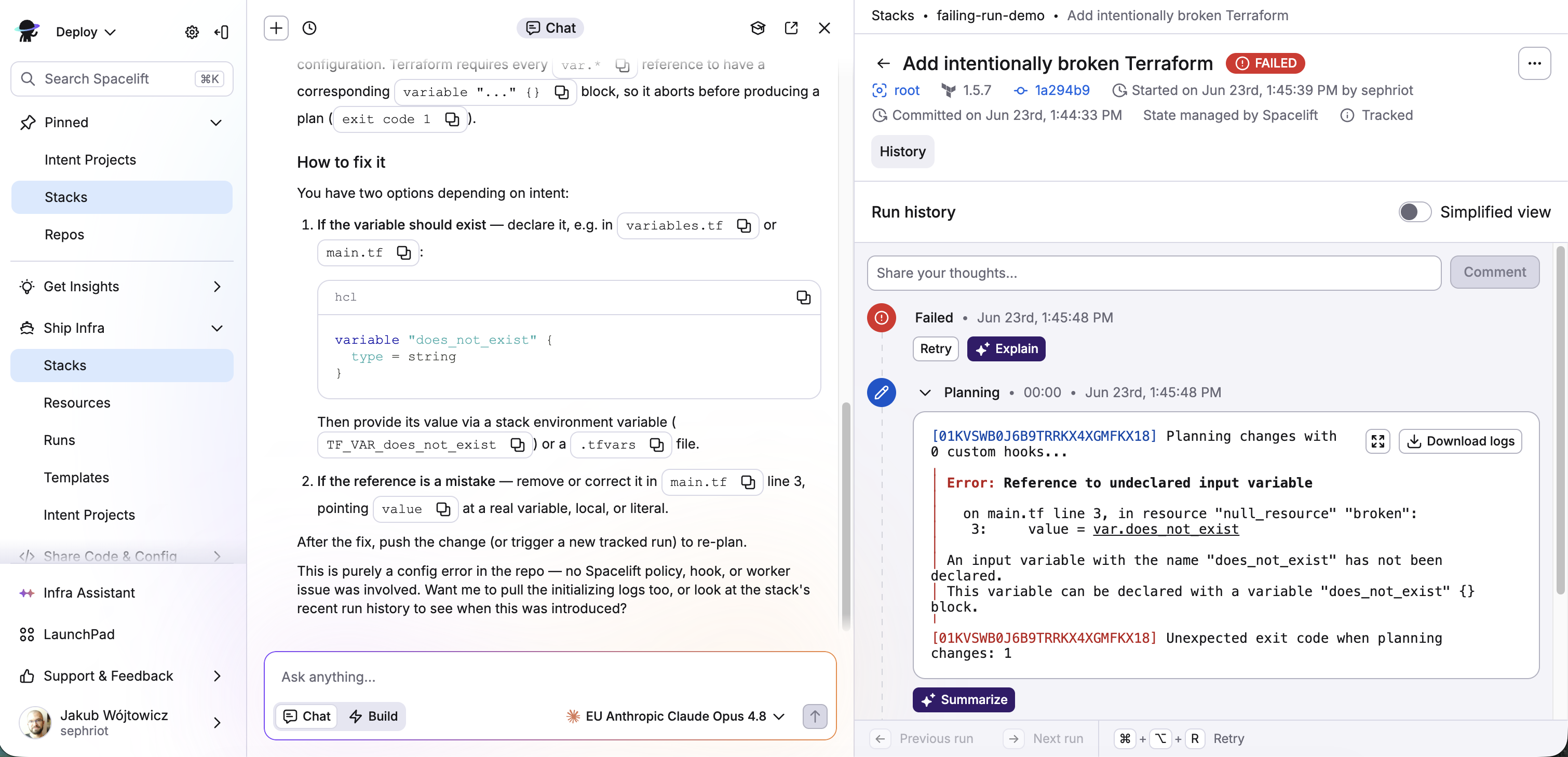
Because the response is generated by an LLM, the exact wording varies between runs, but a summary generally includes:
- A human-readable summary of the logs.
- Detailed information on what went wrong.
- Code snippet suggestions to help solve the issue.
The summary is generated using the AI model selected in the Infra Assistant model picker. See AI Integrations for how to choose a model or configure additional providers.
Tip
Infra Assistant can do much more than summarize runs. It can answer infrastructure questions, debug issues, and manage resources through conversation. See Infra Assistant to learn more.