SCIM Provisioning»
SCIM (System for Cross-domain Identity Management) is a standard protocol for automating user and group provisioning between identity providers and applications. Spacelift supports SCIM 2.0, allowing you to automatically sync users and groups from providers like Okta, Microsoft Entra ID, or OneLogin directly into your Spacelift organization.
With SCIM, your identity provider becomes the single source of truth for who has access to Spacelift. When someone joins your company or a team, they're automatically provisioned in Spacelift with the right access level based on their IdP group membership - no need to invite them manually. When they leave the company or move to a different team, their access is automatically adjusted or revoked.
Note
SCIM and SSO determine who can log in to Spacelift, not what they can access. You still need to assign roles before provisioned users can do anything.
Info
This feature is only available to Enterprise plan. Please check out our pricing page for more information.
Prerequisites»
- A Spacelift account with admin access
- SSO already configured for your organization. Some identity providers tie SCIM to a specific SSO type - if you're using Okta OIDC, see the note in Step 2.
- An identity provider that supports SCIM 2.0 (Okta, Microsoft Entra ID, OneLogin, etc.)
Setting Up SCIM»
Step 1: Generate SCIM Credentials»
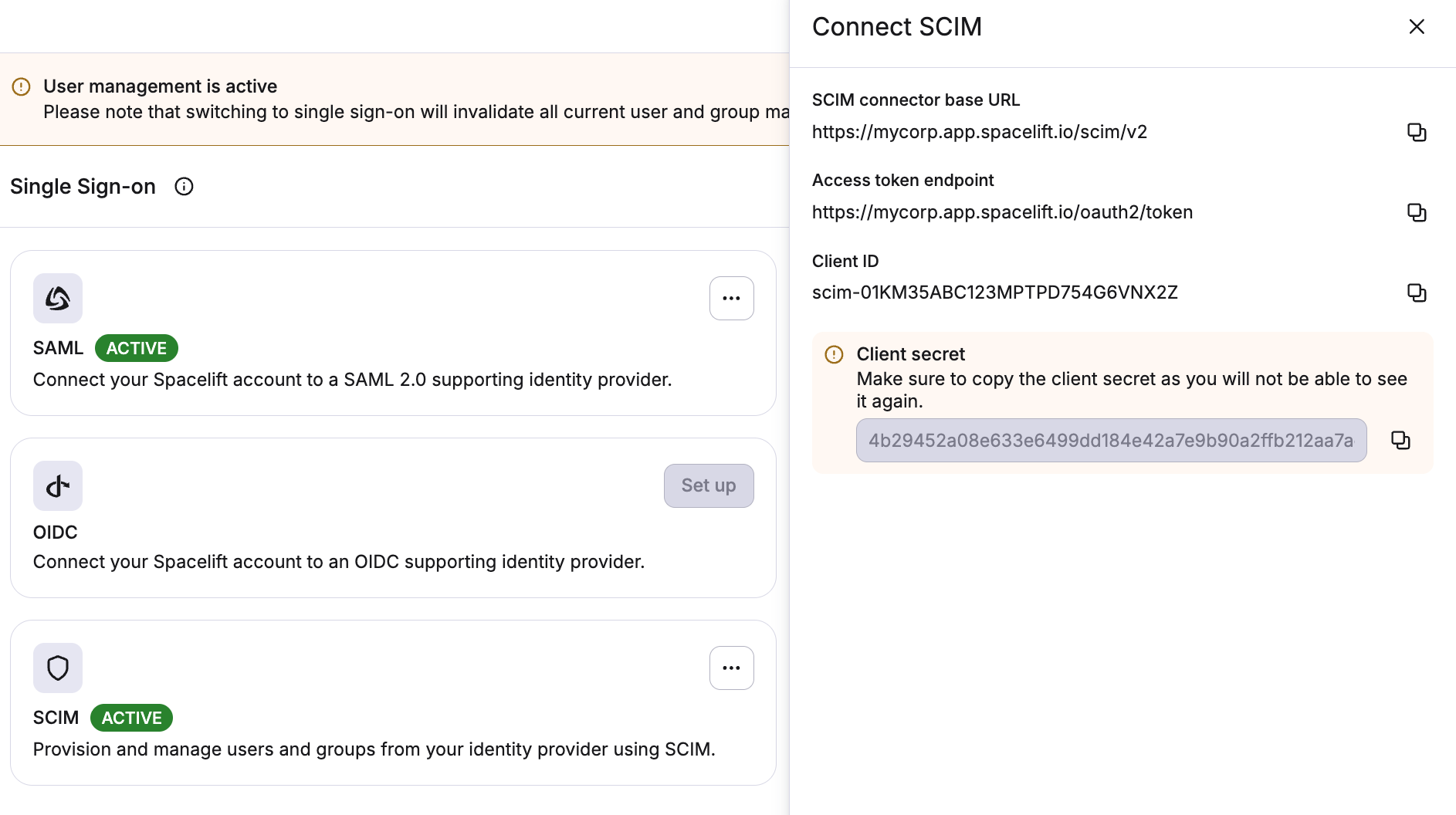
- Navigate to Organization Settings > Single Sign-On
- In the SCIM section, click Activate
- Copy the client ID and client secret
Warning
Store these credentials securely. The client secret is only shown once. If you lose it, you'll need to reset the credentials, which generates a new client ID and client secret.
Step 2: Configure Your Identity Provider»
In your identity provider's SCIM configuration, supply the following:
- Base URL:
https://<account-name>.app.spacelift.io/scim/v2 - Authentication type: OAuth 2.0 (client credentials grant)
- Client ID: the client ID from Step 1
- Client Secret: the client secret from Step 1
Your IdP will use these credentials to authenticate against Spacelift's SCIM API and begin syncing users and groups. These credentials are scoped exclusively to the SCIM endpoints and cannot be used to access any other Spacelift functionality.
Using SCIM with Okta OIDC apps
Okta does not expose SCIM on OIDC apps - it's only available on SAML and SWA integrations. If you can use SAML, the Okta SAML setup guide is simpler since it supports SCIM on the same app.
To stay on Okta OIDC for sign-in, split SSO and provisioning across two apps: keep the OIDC app for sign-in, then create a second SWA app, set its Provisioning to SCIM, and configure SCIM in the new Provisioning tab using the credentials from Step 1. Under To App, enable Create Users, Update User Attributes, and Deactivate Users.
Assigning Roles»
SCIM provisioning creates user and group records in Spacelift, but does not assign any permissions. Users without assigned roles will be denied access when they try to log in.
SCIM alone does not populate group membership at login
SCIM syncs users and groups into Spacelift's database, but group-based authorization is evaluated against what the IdP sends on the login assertion, not the SCIM-stored records. Whichever IdP you use, make sure it forwards group membership at login - otherwise input.session.teams will be empty and group-based permissions won't apply, even though the groups show up correctly in the Spacelift UI.
In Okta this has to be configured explicitly; it is not sent by default for either SAML or OIDC:
- Okta SAML: see Configure Group Attribute Statements.
- Okta OIDC: see Configure Group Claim.
A common gotcha: pushing groups via SCIM is not a substitute for sending groups on the login assertion. You need both - SCIM to provision the group records, and the SAML attribute / OIDC claim to identify the user's groups at login.
How you assign roles depends on your management strategy.
Using direct role bindings (Identity Access Management strategy)»
With the Identity Access Management strategy, you explicitly bind roles to groups or users. There are a few ways to do this:
Push Groups via SCIM, Assign Roles via Terraform (Recommended)»
The best practice is to manage access through IdP groups:
- Create groups in your identity provider and assign users to them
- Assign those groups to the Spacelift application in your IdP
- Configure your IdP to push those groups via SCIM to Spacelift
- Use the Spacelift Terraform provider to look up the SCIM-provisioned groups with the
spacelift_idp_group_mappingdata source, then attach roles usingspacelift_roleandspacelift_role_attachment
1 2 3 4 5 6 7 8 9 10 11 12 13 14 15 16 | |
1 2 3 4 5 6 7 8 9 10 11 12 13 14 15 16 | |
This approach gives you version-controlled, auditable access management that stays in sync with your IdP automatically.
For more details, see Assigning roles to IdP groups.
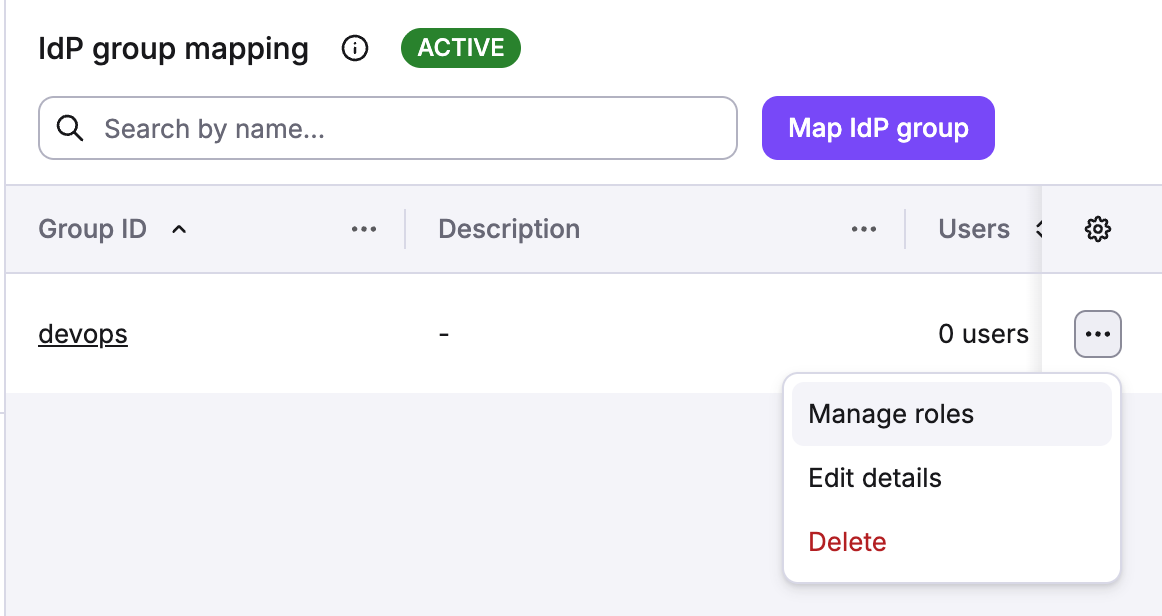
Assign Roles to Groups via the UI»
You can also map SCIM-provisioned groups to roles directly in the Spacelift UI. See Assigning roles to IdP groups for step-by-step instructions.
Assign Roles Directly to Users»
If you prefer per-user access control, you can assign roles to individual users. See Assigning roles to users for details.
Using login policies (Login Policy strategy)»
With the Login Policy strategy, roles are assigned dynamically at login time based on user attributes like group membership. This is useful when you want policy-driven access control.
For examples how to use login policies, see Login policy examples and Assigning roles to IdP groups using login policies.
Supported Endpoints»
All endpoints are served at /scim/v2 and follow the SCIM 2.0 protocol (RFC 7644).
Users»
| Method | Endpoint | Description |
|---|---|---|
| POST | /Users | Create a new user |
| GET | /Users/{id} | Retrieve a user |
| GET | /Users | List and filter users |
| PUT | /Users/{id} | Replace a user |
| PATCH | /Users/{id} | Update specific user attributes |
| DELETE | /Users/{id} | Delete a user |
Supported attributes: userName (required), externalId, displayName, name (givenName, familyName, formatted), emails, active.
userName is used to match users at login
The userName attribute is the most important field. Spacelift uses it to match provisioned users to login sessions from your identity provider. Make sure the userName value in SCIM matches the username or email your IdP sends during SSO authentication. The remaining attributes (name, emails, etc.) are accepted by the SCIM API but are not used by Spacelift - some are stored, others are silently ignored. They do not require specific attribute mapping in your IdP.
Unsupported optional user attributes
The following optional attributes from the SCIM User schema (RFC 7643) are not supported. If your identity provider sends these attributes, Spacelift silently ignores them - no error is returned.
nickName, profileUrl, title, userType, preferredLanguage, locale, timezone, password, phoneNumbers, ims, photos, addresses, entitlements, roles, x509Certificates
Notes on user deletion and deactivation
- Deleting a user (hard-delete) revokes all their active sessions.
- Some identity providers (like Okta or Entra ID) deactivate users (soft-delete) instead of deleting them (hard-delete). When this happens, Spacelift deactivates the user and revokes their sessions, preventing them from logging in. The user record remains in Spacelift and can be reactivated if the IdP reprovisions them later.
Groups»
| Method | Endpoint | Description |
|---|---|---|
| POST | /Groups | Create a new group |
| GET | /Groups/{id} | Retrieve a group |
| GET | /Groups | List and filter groups |
| PUT | /Groups/{id} | Replace a group |
| PATCH | /Groups/{id} | Update group attributes or members |
| DELETE | /Groups/{id} | Delete a group |
Supported attributes: displayName (required), externalId, members.
Note
- PATCH supports adding/removing members and updating
displayNameandexternalId. - Deleting a group removes all its member associations.
Discovery»
| Method | Endpoint | Description |
|---|---|---|
| GET | /ServiceProviderConfig | Capabilities and supported features |
| GET | /ResourceTypes | Supported resource types |
| GET | /Schemas | Schema definitions |
Filtering»
Users can be filtered by:
userName(eq,co)active(eq)emails(eq,co)
Groups can be filtered by:
displayName(eq,co)
Example:
1 | |
Pagination is supported via startIndex and count parameters.
Unsupported Features»
The following SCIM features are not currently supported:
- Bulk operations
- Password changes
- Sorting
- Custom schema extensions