Teleport»
Teleport is a global provider of modern access platforms for infrastructure, improving efficiency of engineering teams, fortifying infrastructure against bad actors or error, and simplifying compliance and audit reporting. The Teleport Access Platform delivers on-demand, least privileged access to infrastructure on a foundation of cryptographic identity and zero trust, with built-in identity security and policy governance.
You can use Spacelift with the Teleport Terraform provider to manage dynamic configuration resources via GitOps and infrastructure as code. This gives you an audit trail of changes to your Teleport configuration and a single source of truth for operators to examine.
This guide shows you how to use the Machine ID agent, tbot, to allow the
Teleport Terraform provider running in a Spacelift stack to configure your
Teleport cluster.
In this setup, tbot proves its identity to the Teleport Auth Service by
presenting an ID token signed by Spacelift. This allows tbot to authenticate
with the Teleport cluster without the need for a long-lived shared secret.
While following this guide, you will create a Teleport user and role with no privileges in order to show you how to use Spacelift to create dynamic resources.
Prerequisites»
-
Access to an Enterprise edition of Teleport running in your environment.
-
The Enterprise
tctladmin tool andtshclient tool version >= 15.1.3.You can verify the tools you have installed by running the following commands:
1
2
3
4
5
$ tctl version
# Teleport Enterprise v15.1.3 git:v15.1.3-0-gc9d69ba go1.21.8

$ tsh version
# Teleport v15.1.3 git:v15.1.3-0-gc9d69ba go1.21.8
You can download these tools by following the appropriate installation instructions for your environment and Teleport edition.
-
To check that you can connect to your Teleport cluster, sign in with
tsh login, then verify that you can runtctlcommands using your current credentials.tctlis supported on macOS and Linux machines.For example:
1
2
3
4
5
$ tsh login --proxy=name="teleport.example.com" --user=name="email@example.com"
$ tctl status
# Cluster  teleport.example.com
# Version  15.1.3
# CA pin   sha256:abdc1245efgh5678abdc1245efgh5678abdc1245efgh5678abdc1245efgh5678
If you can connect to the cluster and run the
tctl statuscommand, you can use your current credentials to run subsequenttctlcommands from your workstation. If you host your own Teleport cluster, you can also runtctlcommands on the computer that hosts the Teleport Auth Service for full permissions. -
A GitHub repository where you will store your Terraform configuration and a Spacelift stack linked to this repository.
- A paid Spacelift account. This is required to use the
spaceliftjoin method. - Your Teleport user should have the privileges to create token resources.
Step 1/3. Create a join token for Spacelift»
In order to allow your Spacelift stack to authenticate with your Teleport cluster, you'll first need to create a join token. A join token sets out criteria by which the Teleport Auth Service decides whether to allow a bot or node to join a cluster.
In this example, you will create a join token that grants access to any execution within a specific Spacelift stack.
Create a file named bot-token.yaml:
1 2 3 4 5 6 7 8 9 10 11 12 13 14 15 16 17 18 19 20 21 22 23 24 | |
Replace:
example.app.spacelift.iowith the hostname of your Spacelift tenant.my-stackwith the name of the Spacelift stack.rootwith the ID of the space that the stack resides within. The "space details" panel on the "Spaces" page of the Spacelift UI shows the ID.
Once the resource file has been written, create the token with tctl:
1 2 | |
Check that token example-bot has been created with the following
command:
1 2 3 4 | |
Step 2/3. Create a role and Machine ID bot»
Create example-bot-role.yaml, which declares a Teleport role that we will
assign to the bot user for Spacelift. tbot generates short-lived credentials
that grant the user access to this role, allowing Spacelift to manage dynamic
Teleport resources using Terraform:
1 2 3 4 5 6 7 8 9 10 11 12 13 14 15 16 17 18 19 20 21 22 23 24 25 26 27 28 29 30 31 | |
This role grants access to create, update, delete, and list a number of Teleport resources. You may wish to remove resources that you do not intend to configure with Terraform from this list to reduce blast radius. See the Teleport Role Reference for the dynamic resources you can grant access to in a Teleport role.
Create this role by applying the manifest:
1 2 | |
Create the bot, specifying the role and token that you have created:
1 2 | |
Step 3/3. Configure your Spacelift stack»
While following this step, you will modify your git repo to:
- Configure Spacelift to authenticate the Teleport Terraform provider as a bot user using credentials generated by Machine ID.
- Create dynamic Teleport resources using your git repo.
Before continuing, clone your GitHub repository. In the clone, check out a branch from your main branch.
Configure Spacelift to authenticate as a bot user»
Now that the bot has been successfully created, you now need to configure your
Spacelift stack to authenticate as this bot using tbot and then configure
the Terraform provider to use the credentials produced by tbot.
To help with this, Teleport publishes a custom Spacelift container image. This
image is based on the default image provided by Spacelift but additionally
includes tbot.
Within the repository linked to your Spacelift stack, create
.spacelift/config.yaml to specify the teleport-spacelift-runner image and to
include a before_init step that invokes tbot to produce credentials:
1 2 3 4 5 6 7 8 9 10 11 | |
Replace:
teleport.example.com:443with the address of your Teleport cluster.example-botwith the name of the token you created in the first step.
Using multiple stacks in one repository?»
If you have multiple Spacelift stacks within a single repository, you should
note that using stack_defaults will apply this configuration to all the
stacks within the repository.
To avoid this, you can use the stacks key instead of stack_defaults to
configure a specific stack. See the
Spacelift Runtime configuration documentation
for more information.
Declare configuration resources»
Add the following to a file called main.tf to configure the Teleport Terraform
provider and declare two dynamic resources, a user and role:
1 2 3 4 5 6 7 8 9 10 11 12 13 14 15 16 17 18 19 20 21 22 23 24 25 26 27 28 29 30 31 32 33 34 35 36 37 38 39 | |
In the provider block, change teleport.example.com:443 to the host and HTTPS
port of your Teleport Proxy Service.
Commit your changes and push the branch to GitHub, then open a pull request
against the main branch. (Do not merge it just yet.)
Verify that the setup is working»
In the Spacelift UI, navigate to your stack, then to PRs. Click the name of the PR you opened.
You should see a Terraform plan that includes the user and role you defined earlier:
!
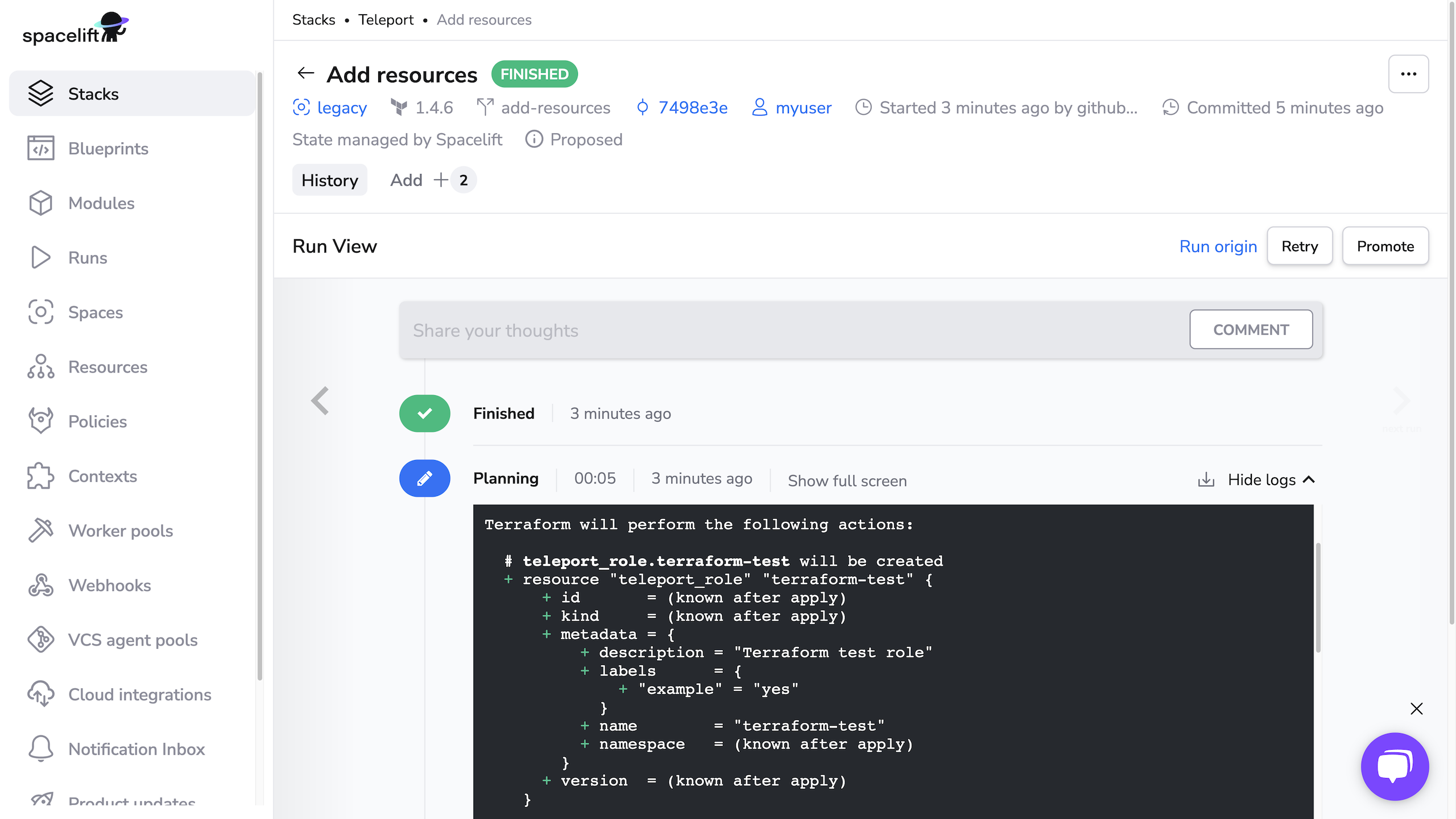
When running terraform plan, Spacelift uses the identity file generated by
tbot to authenticate to Teleport.
Merge the PR, then navigate to your stack and click Runs. Click the status of the first run, which corresponds to merging your PR, to visit the page for the run. Click Confirm to begin applying your Terraform plan.
You should see output indicating success:
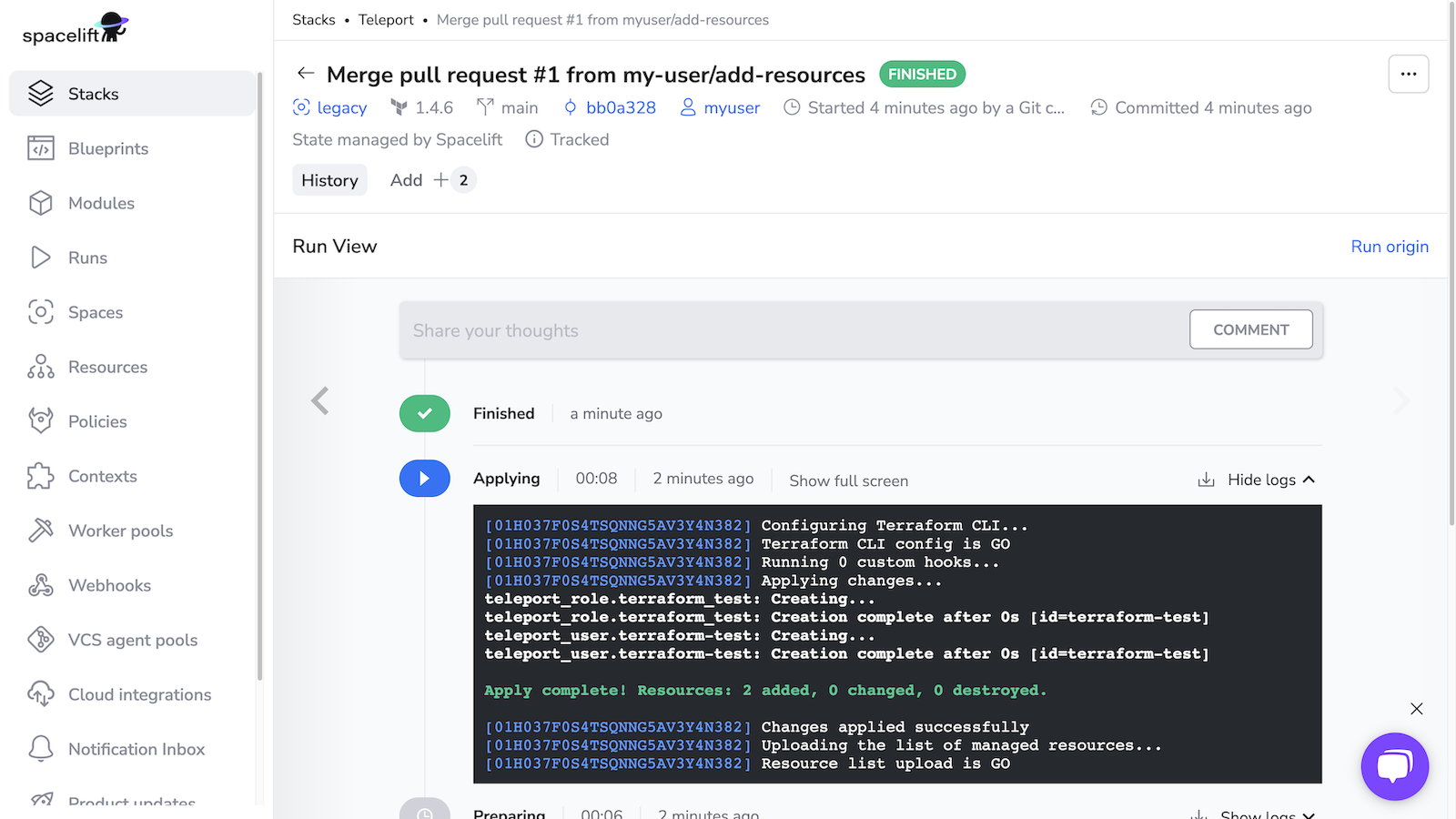
Verify that Spacelift has created the new user and role by running the following commands, which should return YAML data for each resource:
1 2 3 4 5 6 7 8 9 10 11 12 13 | |